Incremental RTS Tools & Calculators
Controls references and factory timing math to keep beside the demo or Steam client.
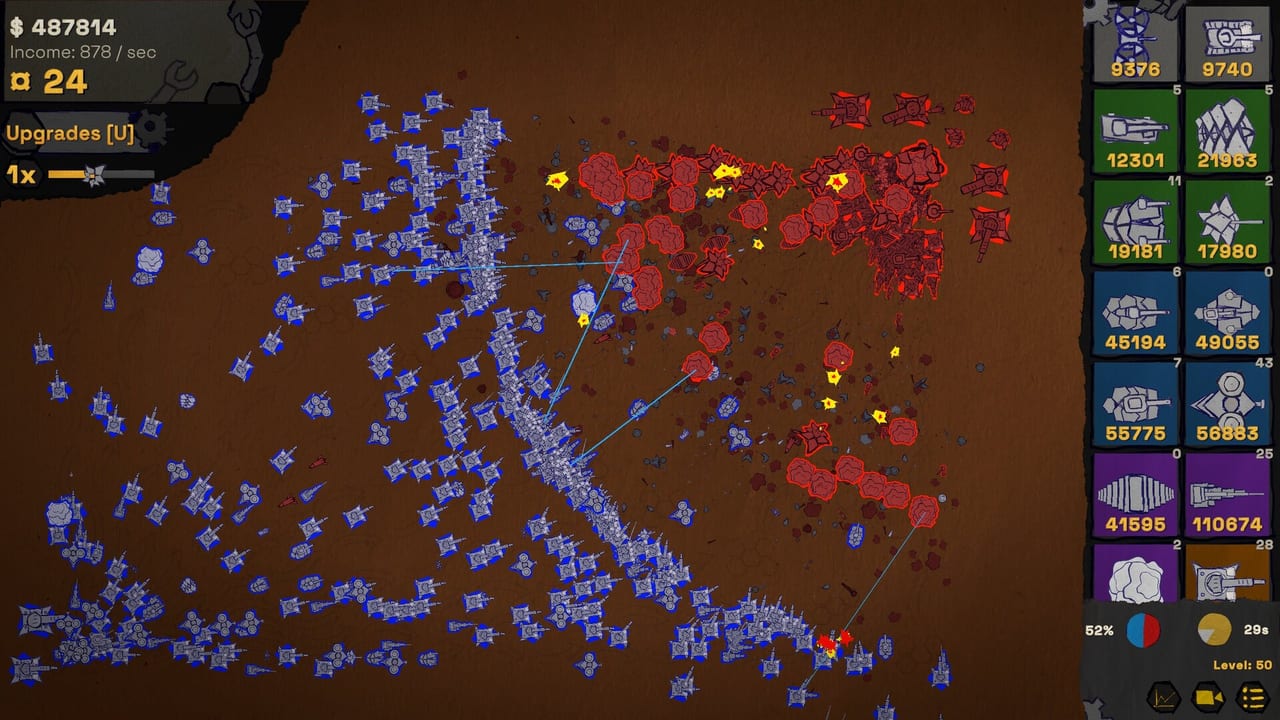
The Tools Hub collects practical helpers for Incremental RTS: the full Controls reference and the Factory Calculator that turns price, balance, and income into an estimated wait. The game is semi-idle—units fight alone—but your clicks still decide when factories appear and which upgrades open. These pages exist so those clicks are informed.
Use them with the browser demo on itch.io, downloads from the same page, or the Steam app (4526450) that launched November 24, 2026. Nothing here reads your save; you type the numbers you see on screen.
What you will find
Controls reference
The controls page documents:
- U to open upgrades (or the left-side button)
- Ctrl / Cmd held while buying to multi-purchase factories
- Mouse wheel / trackpad zoom and drag pan across the battlefield
- Factory purchases on the right panel, with automatic unit production and combat
- Safari save limitations and mobile browser caveats for the web build
If you are brand new, read controls once, then follow How to Play and Getting Started for first-hour goals.
Factory calculator
Factories are the heartbeat of every archetype on the Tier List Hub. Before you commit to a second Mosquito line, a Woodlouse wall, or a mega tank, estimate:
Saving time = max(0, price − balance) ÷ income per second
The dedicated calculator page walks worked examples, warns about changing income, and explains how to sit the formula beside a live run without treating it as combat advice. Pair it with the Economy Guide when interest and coin upgrades fight for the same purse.
Why tools matter in a “no micro” RTS
Classic RTS skills—box select, stutter-step, hotkey grids—do not apply. Incremental RTS replaces them with economic timing and upgrade pathing. A wrong factory bought twenty seconds too early can starve the upgrade that would have doubled production. A right factory bought after a short banked wait can flip a stalled lane.
Tools help you:
- Avoid mis-clicks while zoomed out on large late maps.
- Multi-buy intentionally instead of spamming single purchases.
- Quantify opportunity cost before mega and artillery spikes.
- Recover faster after death by knowing what your income can actually fund next—see Death and Progression.
Suggested workflow
- Open the game and note current factory price, wallet balance, and income per second.
- Run the numbers on Factory Calculator.
- If the wait is short, hold Ctrl/Cmd and buy; if it is long, open upgrades with U and spend on income or production first (Upgrades Guide).
- After the fight, check the statistics screen for damage dealt/absorbed, scout the enemy base when unlocked, then adjust the army mix via Army Builds or Mosquito vs Woodlouse.
- Bookmark official channels on the Links Hub and watch Updates when controls or economy text changes after a patch.
Browser versus Steam
The itch browser demo is ideal for quick tests of the calculator and hotkeys. Remember the documented Safari save limitation and that the web build is not optimized for phones. Steam and native downloads are the better long-session homes, with achievements, cloud features on Steam, and the full post-launch content set.
Regardless of platform, the same control grammar applies: upgrades on the left / U, factories on the right, zoom and pan to understand the whole war, multi-buy when income allows.
Related reading
- Guides Hub — walkthroughs and systems deep dives
- Tier List Hub — unit roles that your factory timing feeds
- Wiki overview — what Incremental RTS is at a glance
- Steam release notes page — launch coverage for November 24, 2026
This hub will stay lean on purpose: few pages, high reuse, always meant to sit on a second monitor or a second browser tab while your paper-drawn armies flood the map.
Frequently Asked Questions
Quick answers to the most common questions.
Does the factory calculator connect to my game?
No. Enter price, balance, and income yourself. The formula is max(0, price − balance) ÷ income per second.
What is the most important hotkey?
U opens upgrades. Ctrl or Cmd held while buying enables multi-factory purchases. Zoom and drag pan help you read large maps.
Can I play the browser demo on my phone?
The web build is not optimized for mobile. Safari also has known save issues. Prefer desktop browser or Steam/native downloads.
Which guide pairs best with these tools?
Economy Guide and Upgrades Guide for spending order; How to Play and Getting Started for first sessions.